
Offer Status: 🟢 Active | platform: Windows 11/10/8/7 | Official Partners: AnyMP4
Disclaimer: This is an official promotional gift provided by AnyMP4. We do not host cracked or pirated software. The license key provided is for personal, non-commercial use only.
Why are we introducing AnyMP4 iPhone Transfer Pro?
If you’ve ever tried to manage your iPhone files through iTunes on Windows, you already know the frustration – it’s slow, clunky, and doesn’t give you direct control over your data. AnyMP4 iPhone Transfer Pro Takes a different approach. It connects directly to your iPhone and lets you transfer photos, music, videos, contacts, and messages without opening iTunes.
We tested it on a Windows 11 PC paired with an iPhone 15, and file browsing felt instant. It took less than 30 seconds to transfer a batch of 200 RAW photos – something that would have taken several minutes and multiple steps through iTunes. The contact management section is also unique – you can merge duplicate contacts, add new ones, and even export your entire contact list to a CSV file directly from the app.
If you’re comfortable syncing only through iCloud, you won’t need this. But if you want direct USB-based control over what’s playing and coming to your iPhone – without losing any data in the process – it’s worth picking up the free Pro license.
Pros and cons
| what we liked | what could be better |
|---|---|
| Fast USB-Based Transfer Without iTunes | The interface looks a bit dated compared to modern apps |
| Transfers photos, videos, music, contacts and messages | No wireless transfer option (USB only) |
| One-click contact backup and export | Giveaway requires email signup to receive code |
| HEIC to JPEG/PNG conversion built-in | Some features overlap with features already offered by iCloud |
| Custom ringtone maker included | No Mac version for this free one (Windows only) |
| Works with iPhone, iPad and iPod |
Key Features of AnyMP4 iPhone Transfer Pro

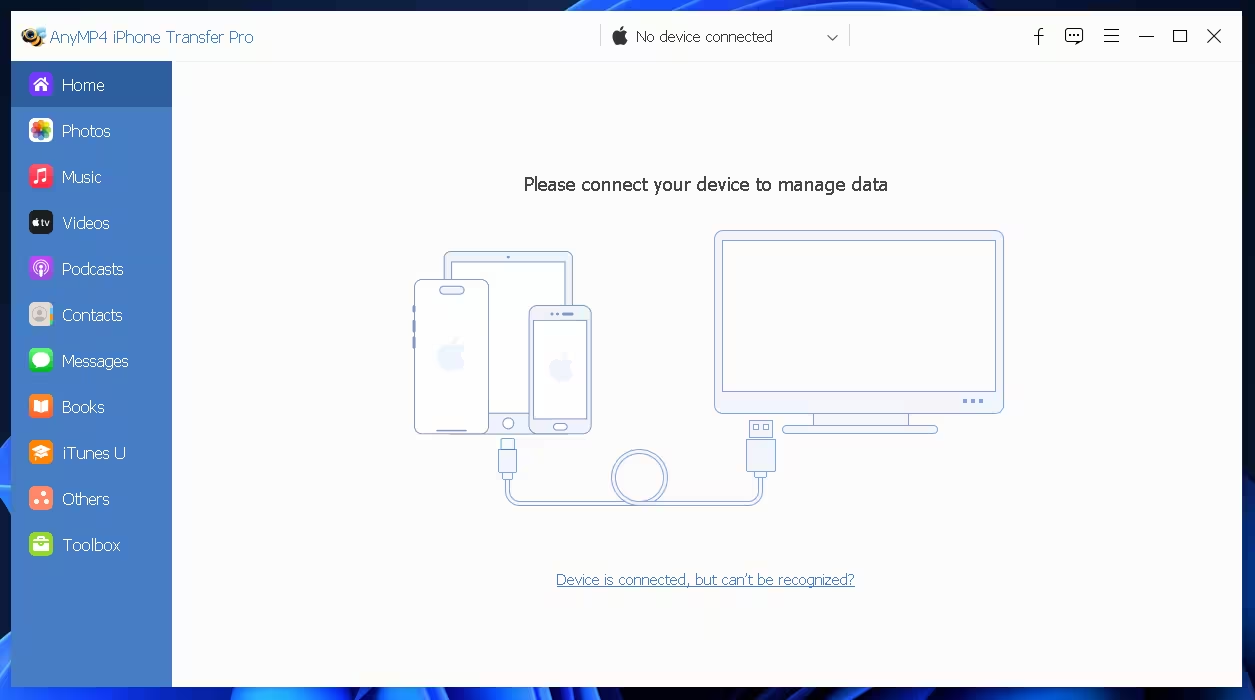
AnyMP4 iPhone Transfer Pro – Photo and Music Library view after iPhone is connected
- Transfer Data from iPhone/iPad/iPod to PC or iTunes – Transfer your entire media library, including photos, music, movies, TV shows, podcasts, and playlists.
- Import Videos and Music from PC to iPhone, iPad or iPod – Push files from your computer directly to your device in a few clicks.
- Transfer Files Between Two iOS Devices — Copy contacts, music, and photos from old iPhone to new iPhone without using iCloud.
- contact management – Add new contacts, edit existing contacts, merge duplicates, organize into groups and export to CSV or vCard format.
- message export – Save your iPhone messages as Excel, HTML, or plain text files for backup or printing.
- HEIC Image Converter – Convert iPhone HEIC photos to JPEG or PNG without any quality loss.
- ringtone maker – Choose a song from your library, trim it to your preferred length, and set it as a custom ringtone.
- One-Click Backup – Back up your contacts and messages to your PC with one click.
- wide device support — Compatible with all iPhones (including the iPhone 15 series), iPads, and iPod Touch models.
AnyMP4 iPhone Transfer Pro vs Free Alternatives
You may wonder why you should use it over something like Windows File Explorer or iCloud. Here is a direct comparison:
| Speciality | AnyMP4 iPhone Transfer Pro | iTunes (Windows) | iCloud for Windows |
|---|---|---|---|
| Photo Transfer (USB) | Yes – browse and select specific albums | Limited – sync only | no (cloud only) |
| music transfer to iphone | yes – drag and drop | Yes – but requires library sync | Apple Music subscribers only |
| contact backup | Yes – CSV/VCard export | Limited | Yes – iCloud Sync |
| message export | Yes – Excel/HTML/TXT | No | No |
| HEIC conversion | yes – built | No | No |
| ringtone maker | Yes | solution only | No |
| ease of use | Simple UI, minimal setup | complex, slow | perfect for photos |
Ground level: If you’re deeply connected to the Apple ecosystem and use iCloud for everything, you won’t need it. But if you prefer a straightforward, USB-based way to manage your iPhone on Windows – especially for transferring music, exporting messages, or backing up contacts – AnyMP4 iPhone Transfer Pro is a really useful tool, and getting the free Pro version makes it easy.
How to claim your free AnyMP4 iPhone Transfer Pro license
Follow these steps to get your free Pro license before the offer ends:
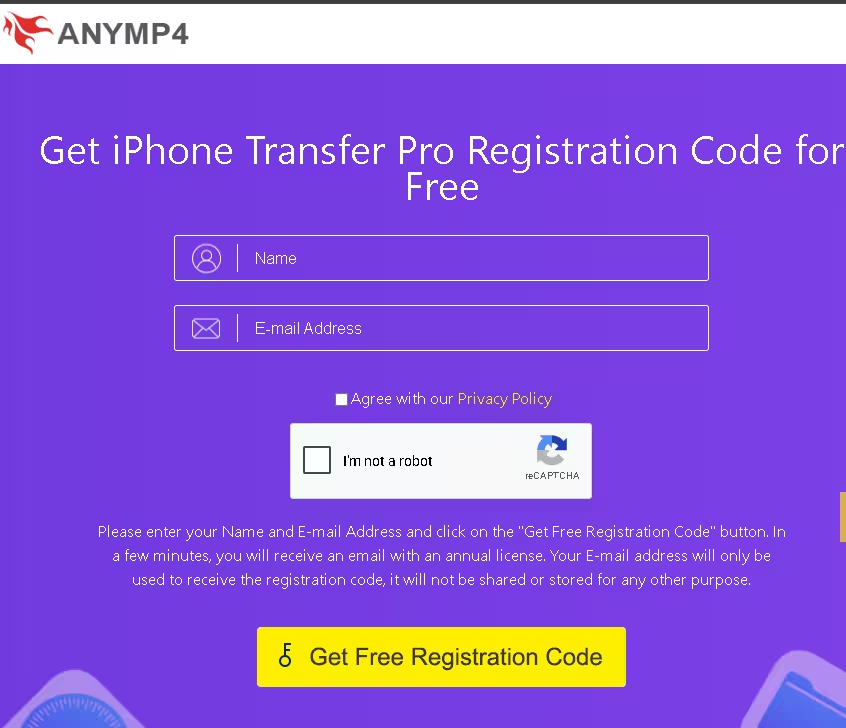
- Visit the official gift page: Go https://www.anymp4.com/special/gotd/iphone-transfer-pro/
- Fill in your details: Enter your name and email address in the form on the page.
- Accept the Privacy Policy: Check the “I agree to the privacy policy” checkbox.
- Complete reCAPTCHA: Tick the “I am not a robot” box and complete the verification.
- Click on “Get Free Registration Code”: Press the button to submit your request.
- Check your email: You will receive an email registration@anymp4.com With your unique license code. Check your Spam folder if you don’t see it within a few minutes.
- Download Installer: Get the setup file directly from the AnyMP4 website https://www.anymp4.com/download
- Install Software: Run the installer and follow the on-screen steps. There’s no bundled software to worry about.
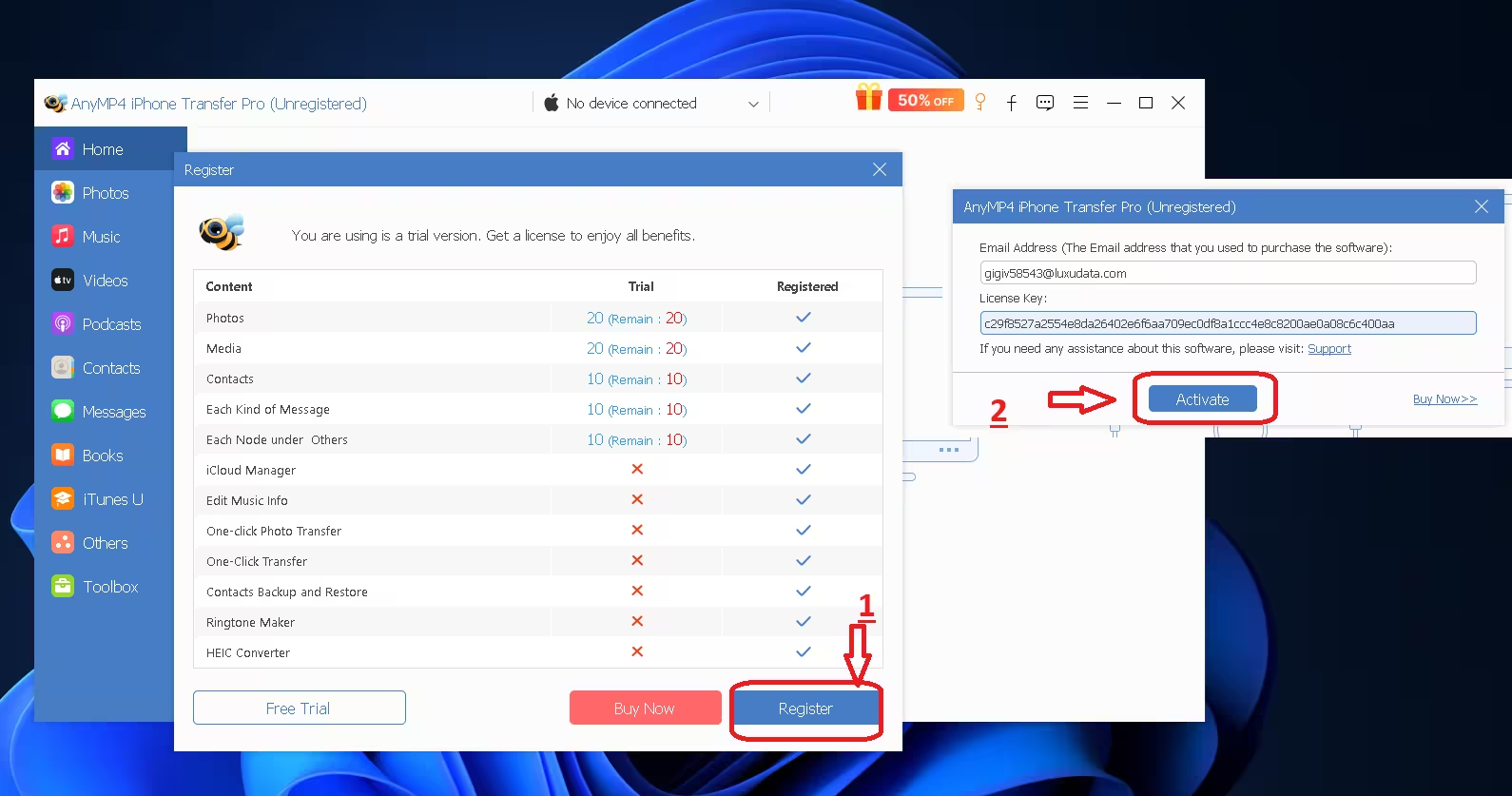
- Activate with your code: Open AnyMP4 iPhone Transfer Pro, click on Register/Activate option and paste the license code from your email.
More Free iPhone Transfer Tools Worth Checking Out
If you’re looking for more options, we’ve covered several similar tools on Techno360. Here are some worth bookmarking:
Learn more from Techno360
Subscribe to get the latest posts delivered to your email.

![Allavsoft Free License- Video and Music Downloader [Windows/Mac] | Free Download](https://www.traxora.xyz/wp-content/uploads/2026/05/Allavsoft-Box-Shot.avif.avif)

